
Has'an Employee
A desktop AI employee for accountants. It learns a job by watching you do it once, then does it on your screen and asks before anything that matters.
- Status
- In pilot
- Scope
- Accounting offices, version 0.1.7
- Year
- 2026
- Where a person decides
- Before printing, sending, paying, elevated commands and any write outside the job folder.

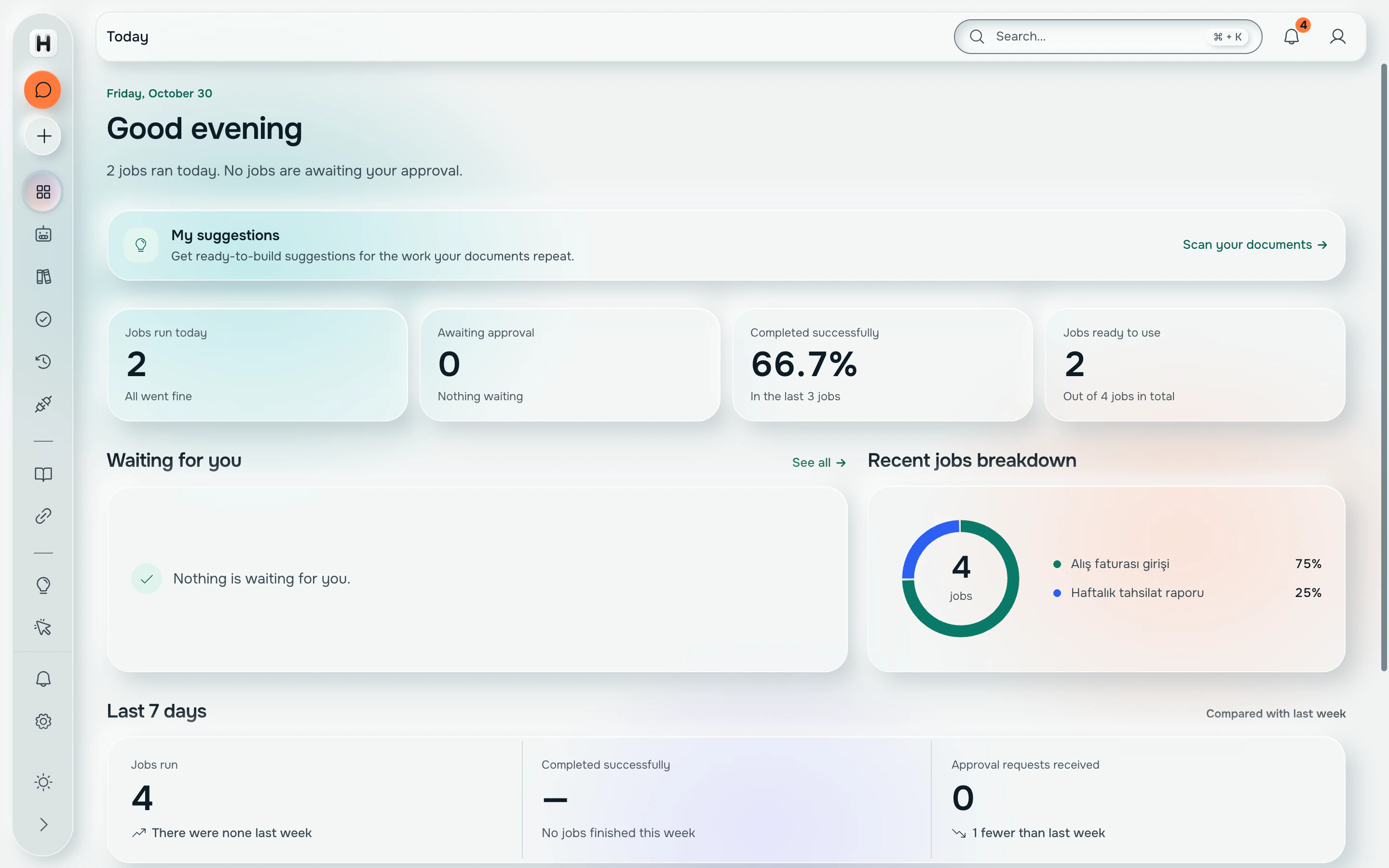
How it works
Accounting offices in Turkey run on Windows programs that have no API: ERP screens, e-invoice portals, bank statements. Has'an sits on that desktop. It reads the screen through accessibility and local OCR, clicks and types where a person would, and talks to you in a small always-on-top window while it works.
You teach it by doing. Turn on watch mode, do the job once, and Has'an writes a guide for that program. The next time, you pick the guide, say what to do, and it rehearses the steps against a map of the screens it recorded before it touches anything.
Every consequential action goes through an approval. Writes outside the job folder, money-shaped words like 'print' or 'send', and elevated commands stop and ask. The screen is read on the computer itself; a cloud model is used only with explicit consent, screenshots only with a separate one, metered per person by the company's own server.
What is built
- Windows desktop app (Tauri 2, React 19) with a web edition for admins
- Engine forked from OpenAI Codex, kept at zero diff from upstream by an automated check
- Screen tools in Rust: observe and act, sealed program allowlist, action ledger
- Watch-and-learn that writes a SKILL.md and a screen map per program
- Local knowledge graph over the office's documents, browsed by the model with plain file reads
- Approval queue, confirm-words list, mini window while working
- Company server: model gateway, per-person usage and monthly limits, signed auto-updates, shared job library with admin review
What it does alone, and what waits for you.
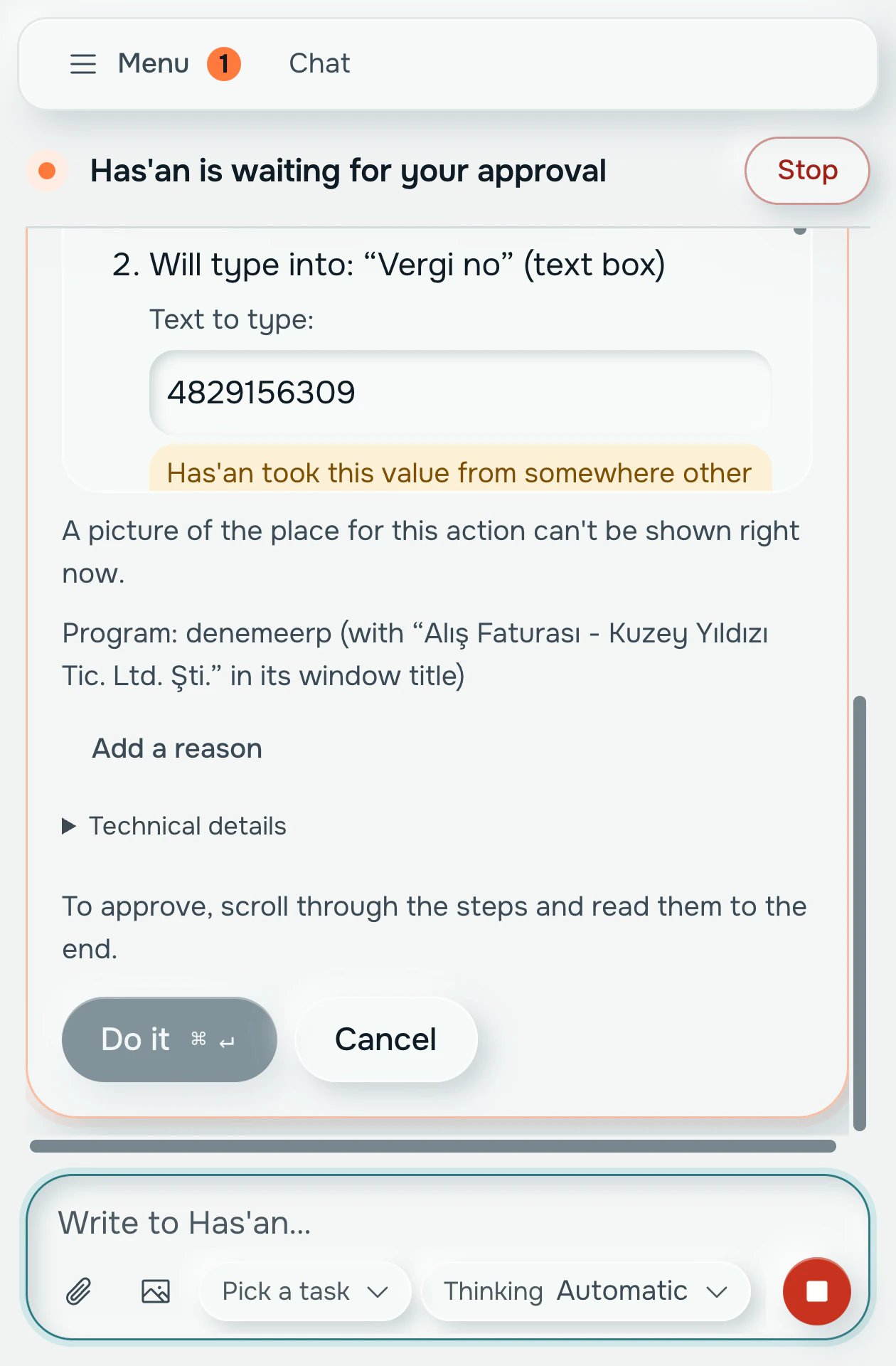
Has'an works from a short list of permissions. Reading and typing in allowed programs runs on its own; anything with consequences stops on a card until someone presses Do it.
Has'an can
On its own
- Read the screen, through accessibility and local OCR
- Click and type in programs on the sealed allowlist
- Save files inside the job folder
- Log every action to the action ledger
Asks first
- Print, send or pay
- Run elevated commands
- Write anywhere outside the job folder
- Stop on any of your own confirm words
Never
- Send screenshots off the computer without a separate consent
- Call a cloud model without your consent
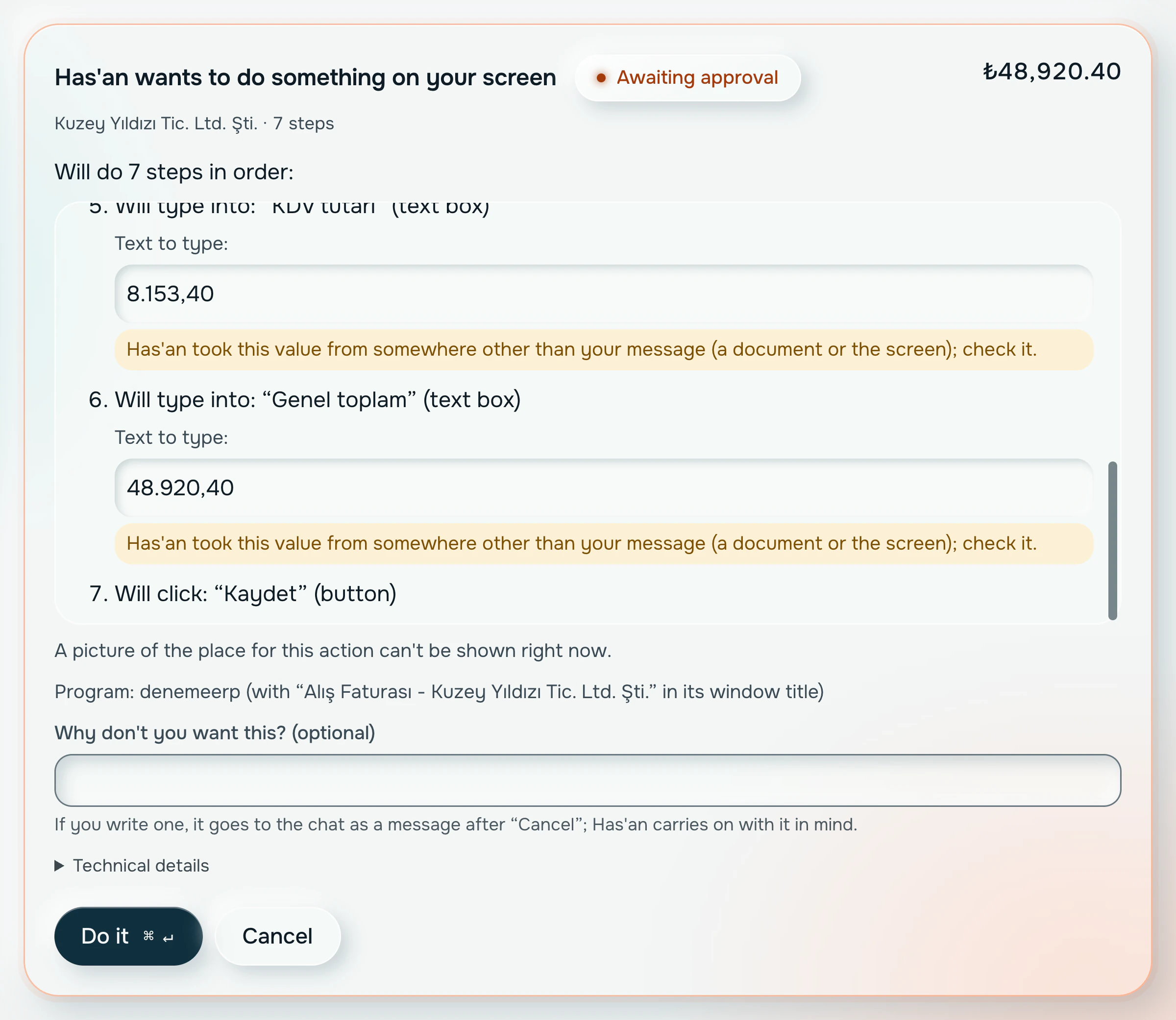
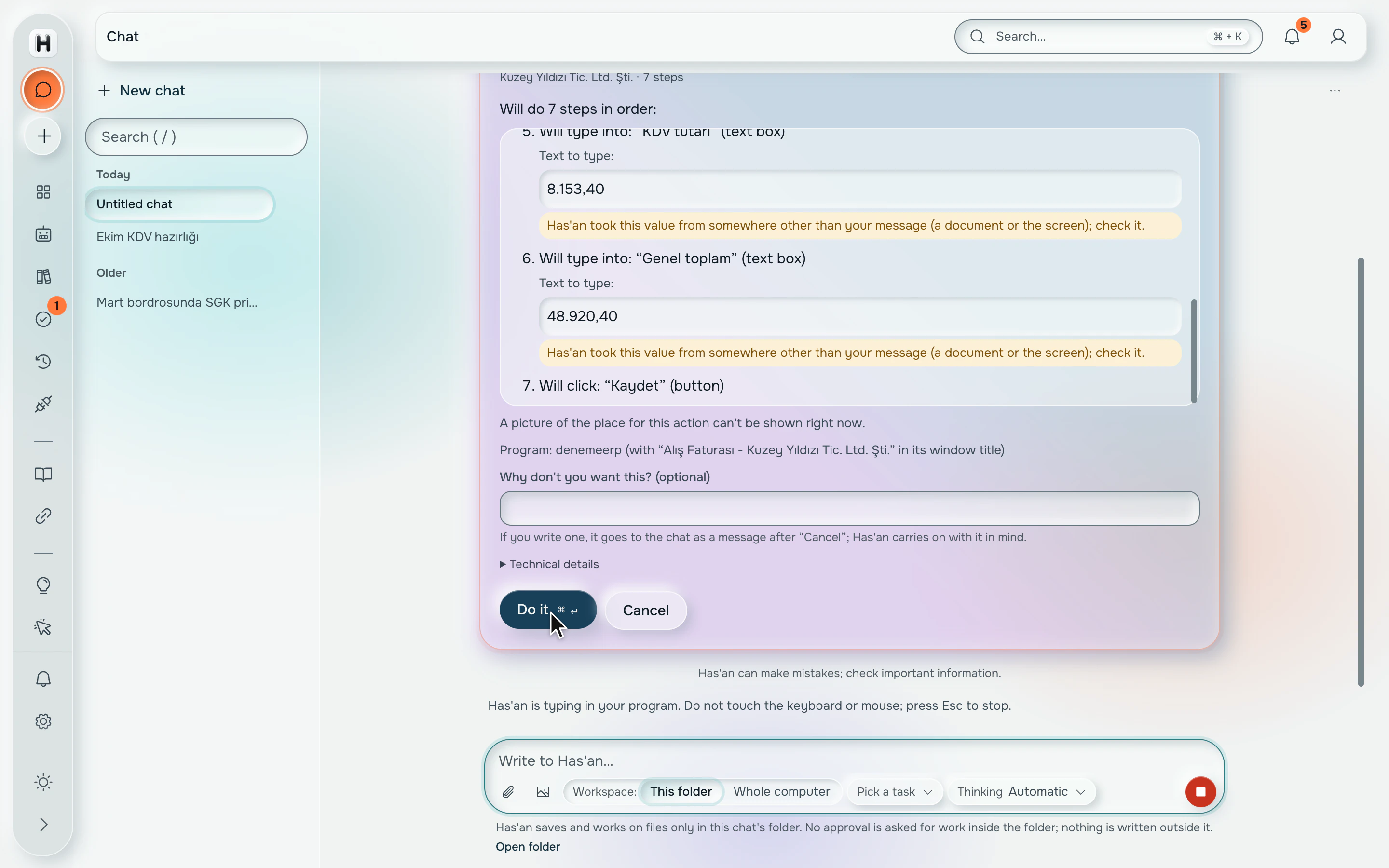
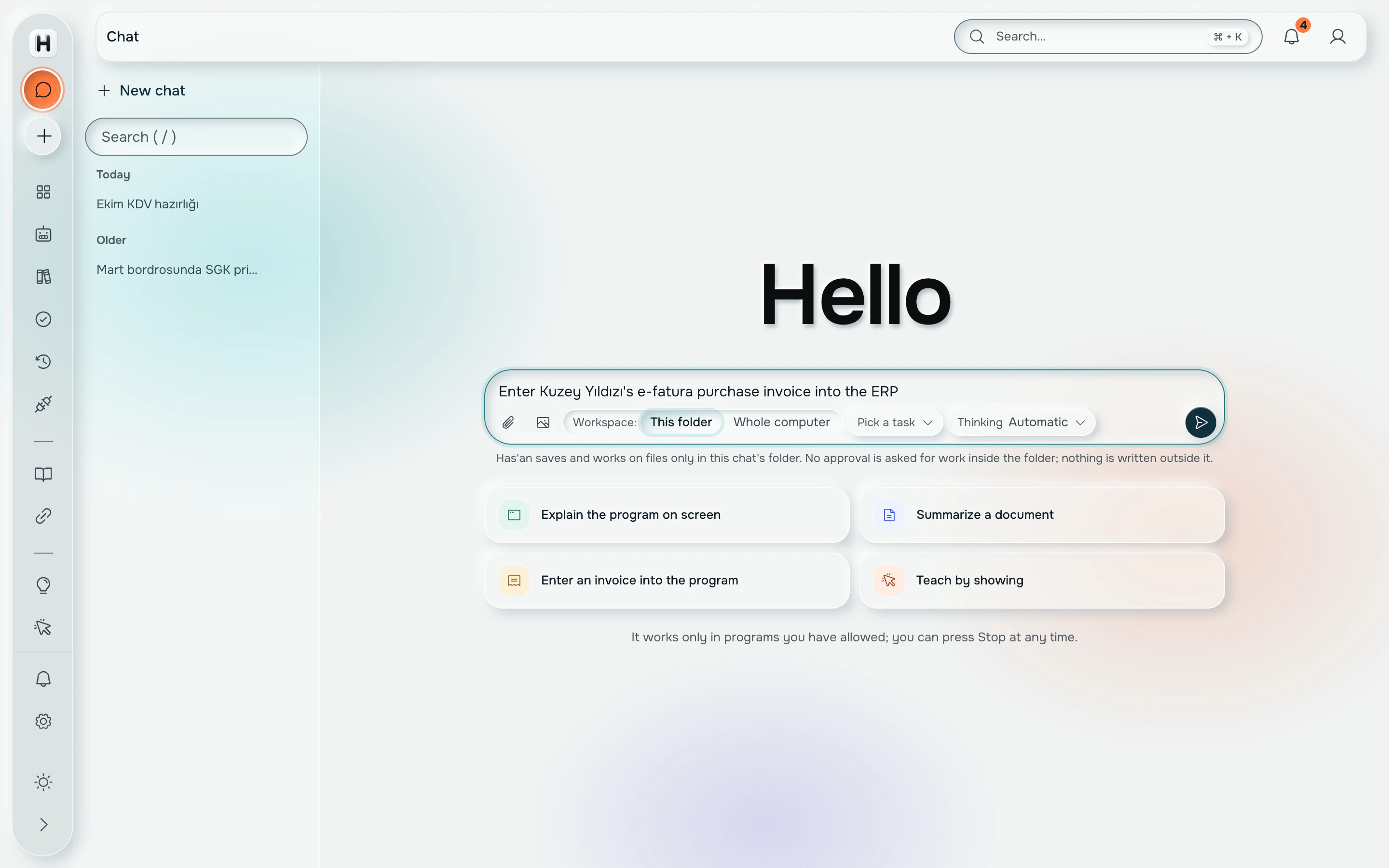
Recorded from the real app
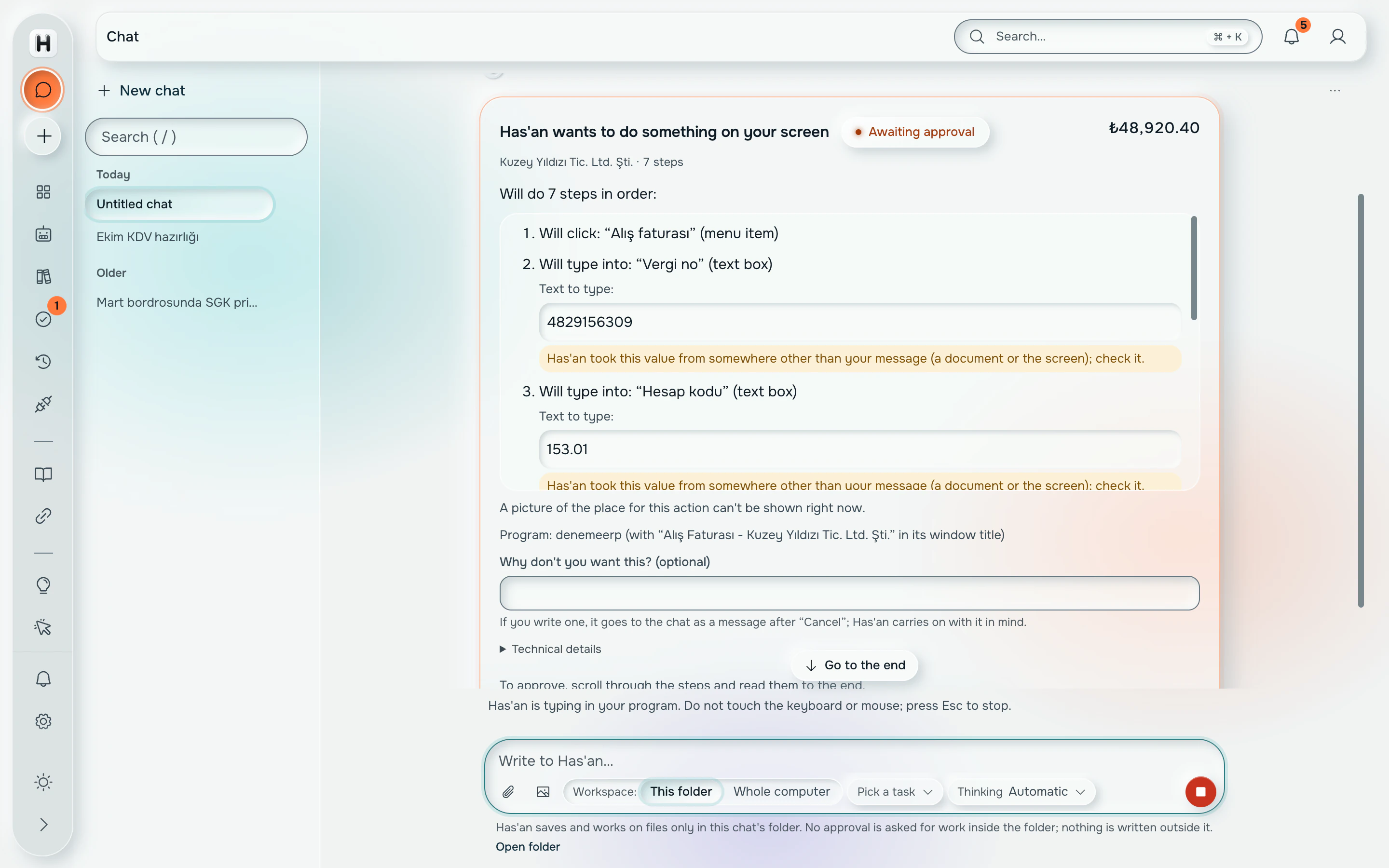
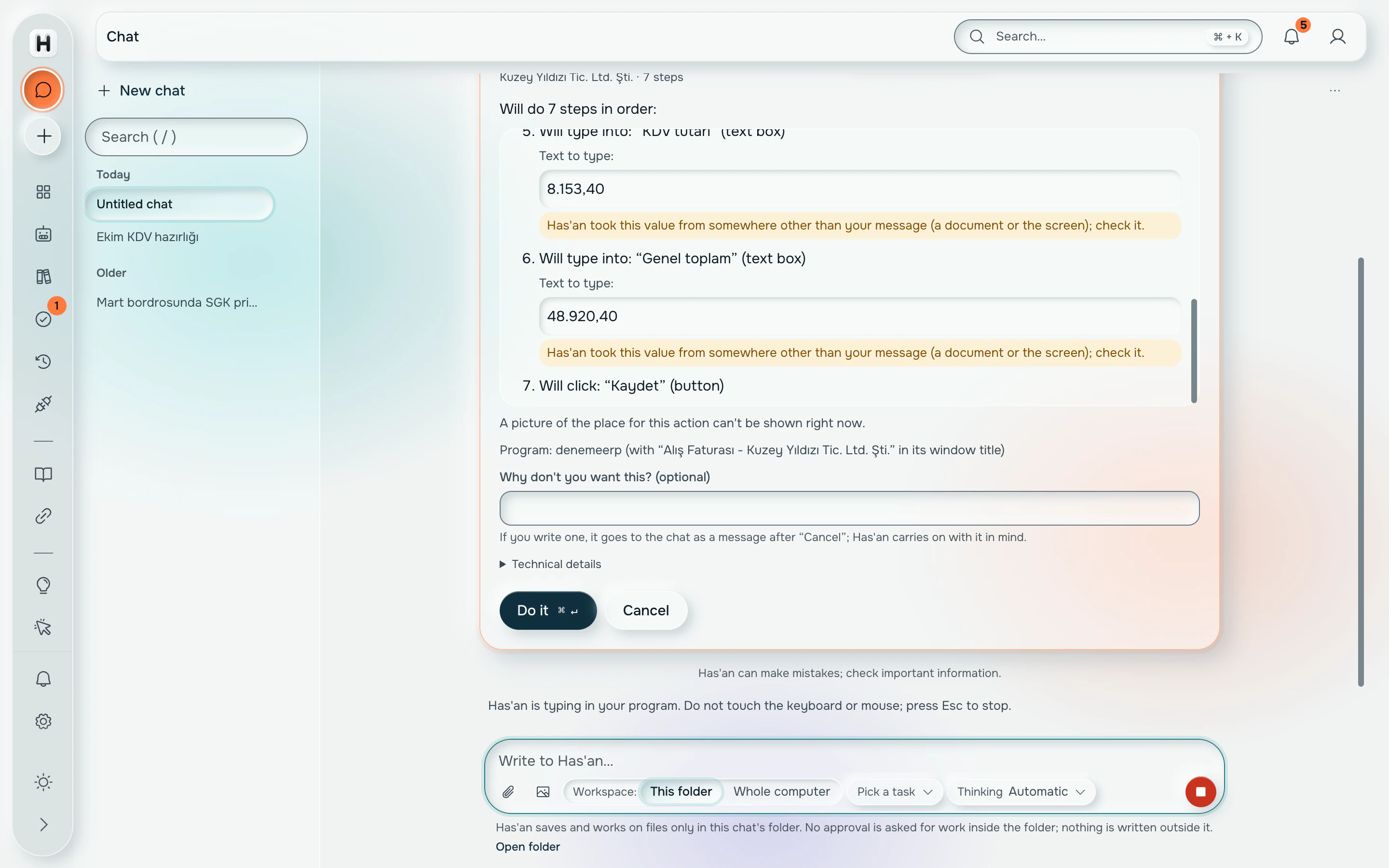
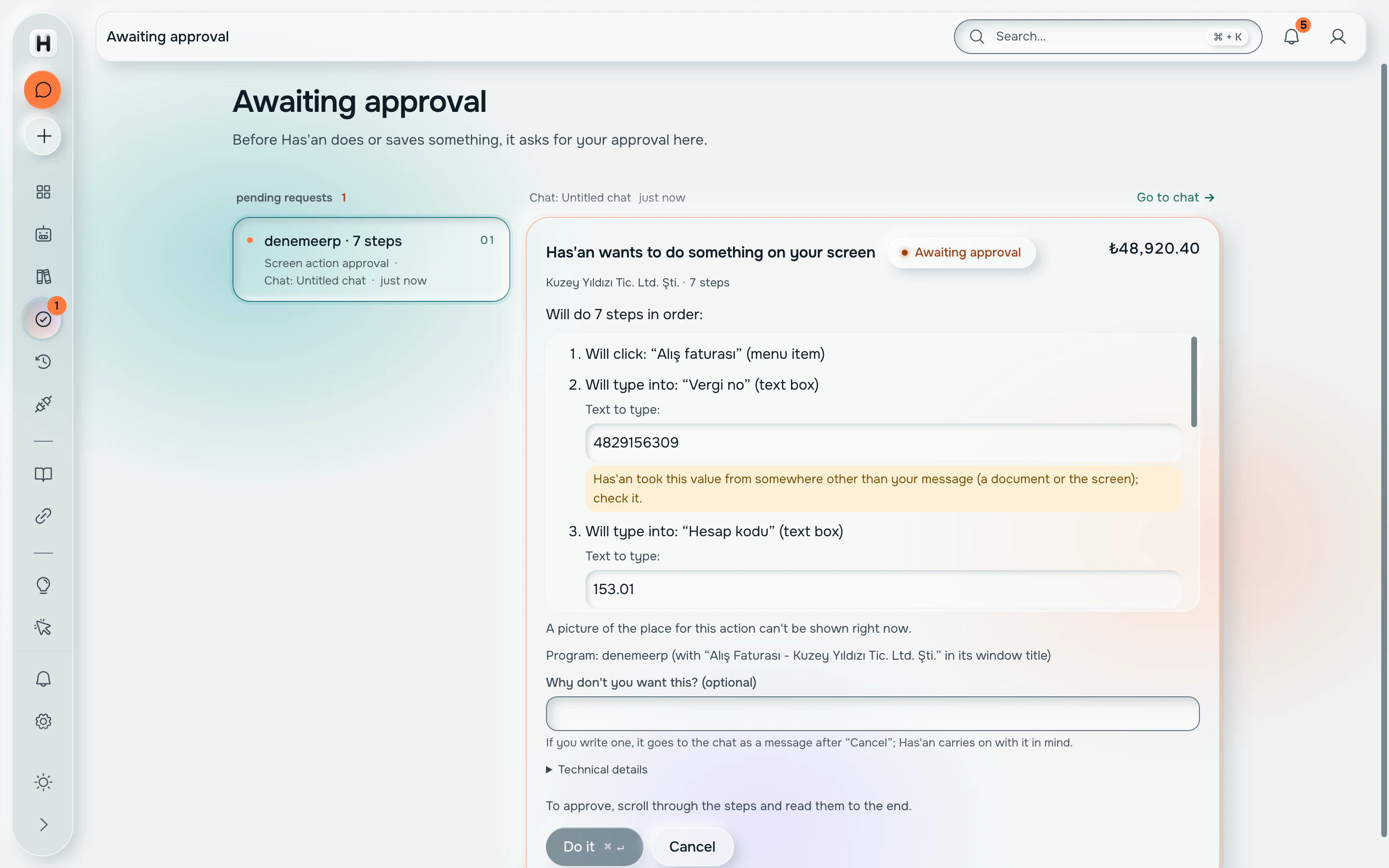
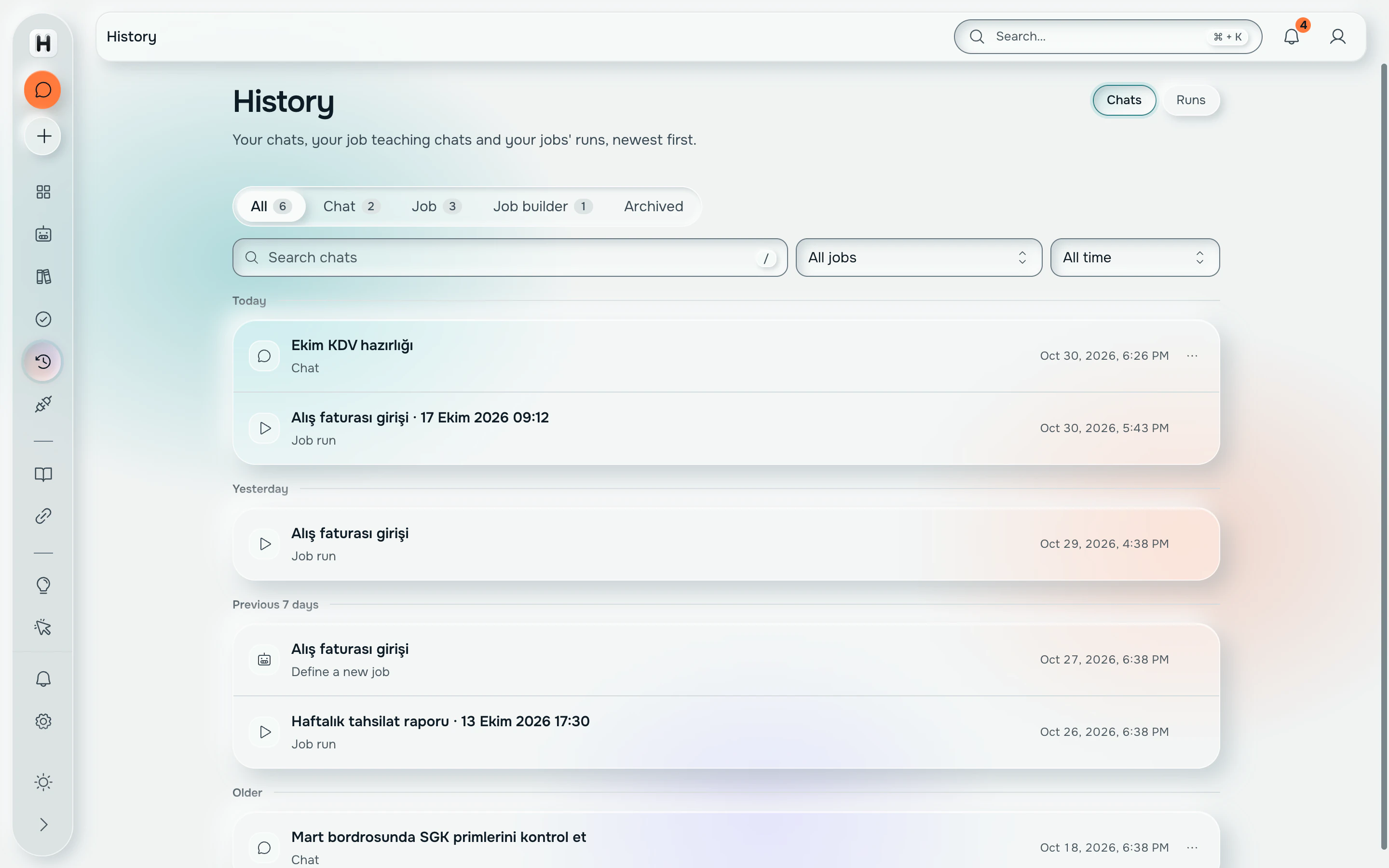
One take of the English interface, unedited: the request typed in one sentence, the 7-step plan in the ERP, the cursor resting on Do it, then the Approvals page where the request waits.
How Has'an sees the screen
Three readers, tried in order, all on the accountant's PC. The cheapest one covers almost everything; the last one is asked only when the first two find nothing.
Accessibility tree
Windows already names most controls: a menu, a text field called Supplier, a button called Save. Has'an reads that tree first. It is exact, instant, and free.
12 controls named: menus, fields, buttons Local OCR
Custom-painted grids and old report screens expose nothing. For those regions Has'an runs Windows OCR on the pixels and gets the text back with its position. Still on the PC.
12 rows read from a grid with no names Local vision model
When both come back empty, a stamp on a scanned invoice or an icon with no name, Has'an asks a 4B vision model that runs on the same computer. The slowest path, and the one used least.
The screen is read on the computer itself; screenshots leave it only with a separate consent.
The cloud model is used only with explicit consent, and the company server meters it per person.
Where it runs
Three places, each with one job. The screen stays on the PC, the company server keeps count, and the cloud model is used only with consent.
Screens
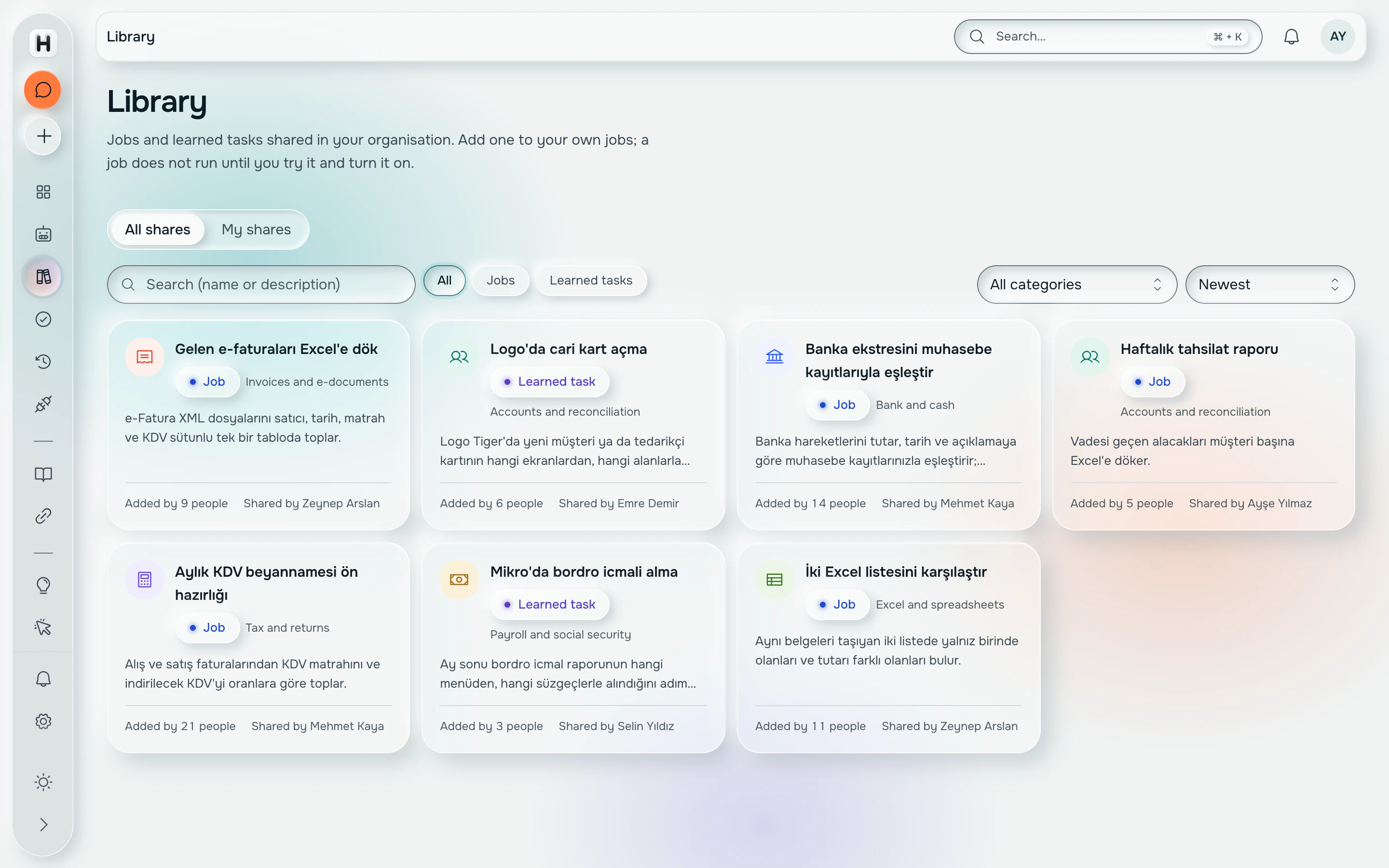
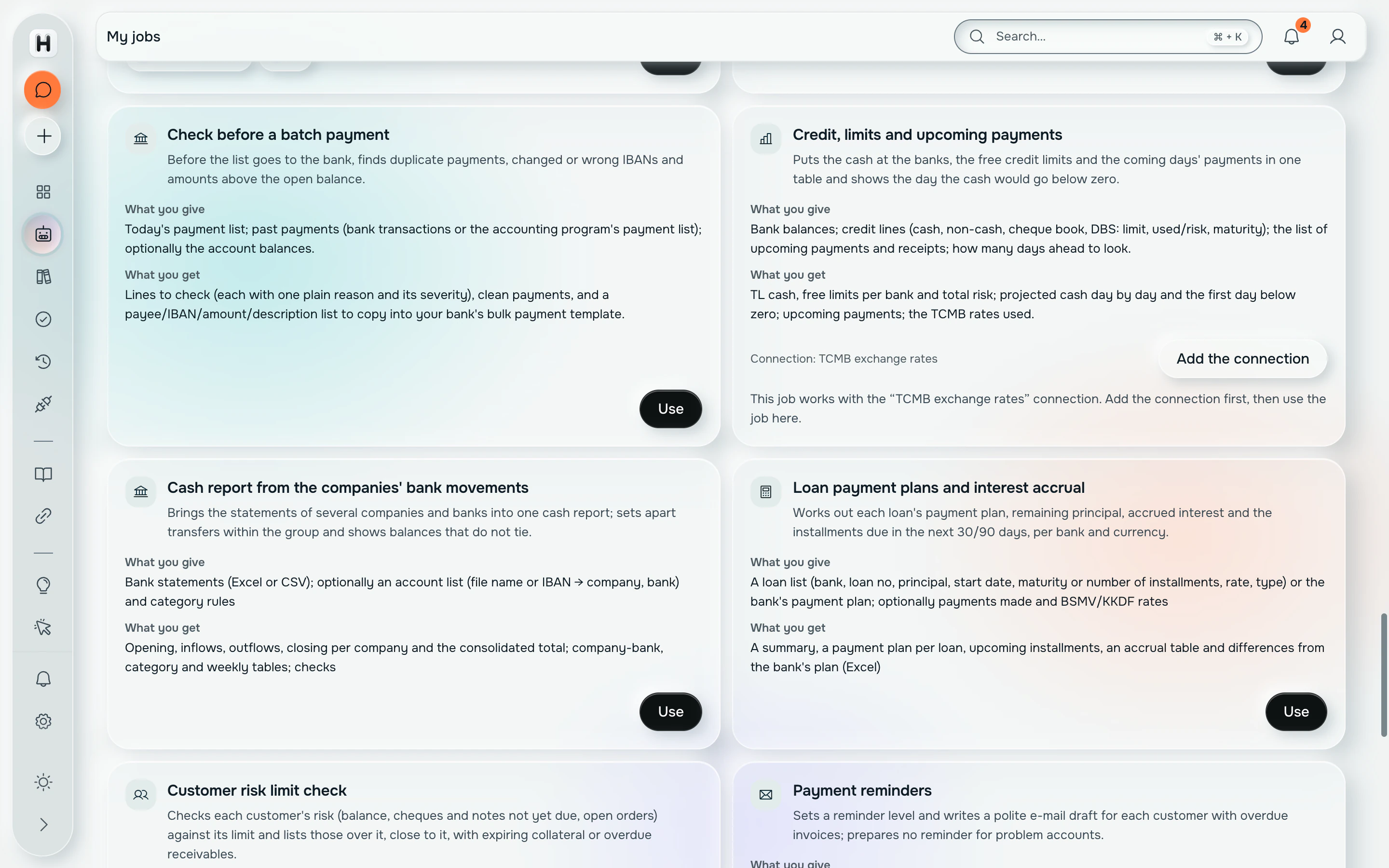
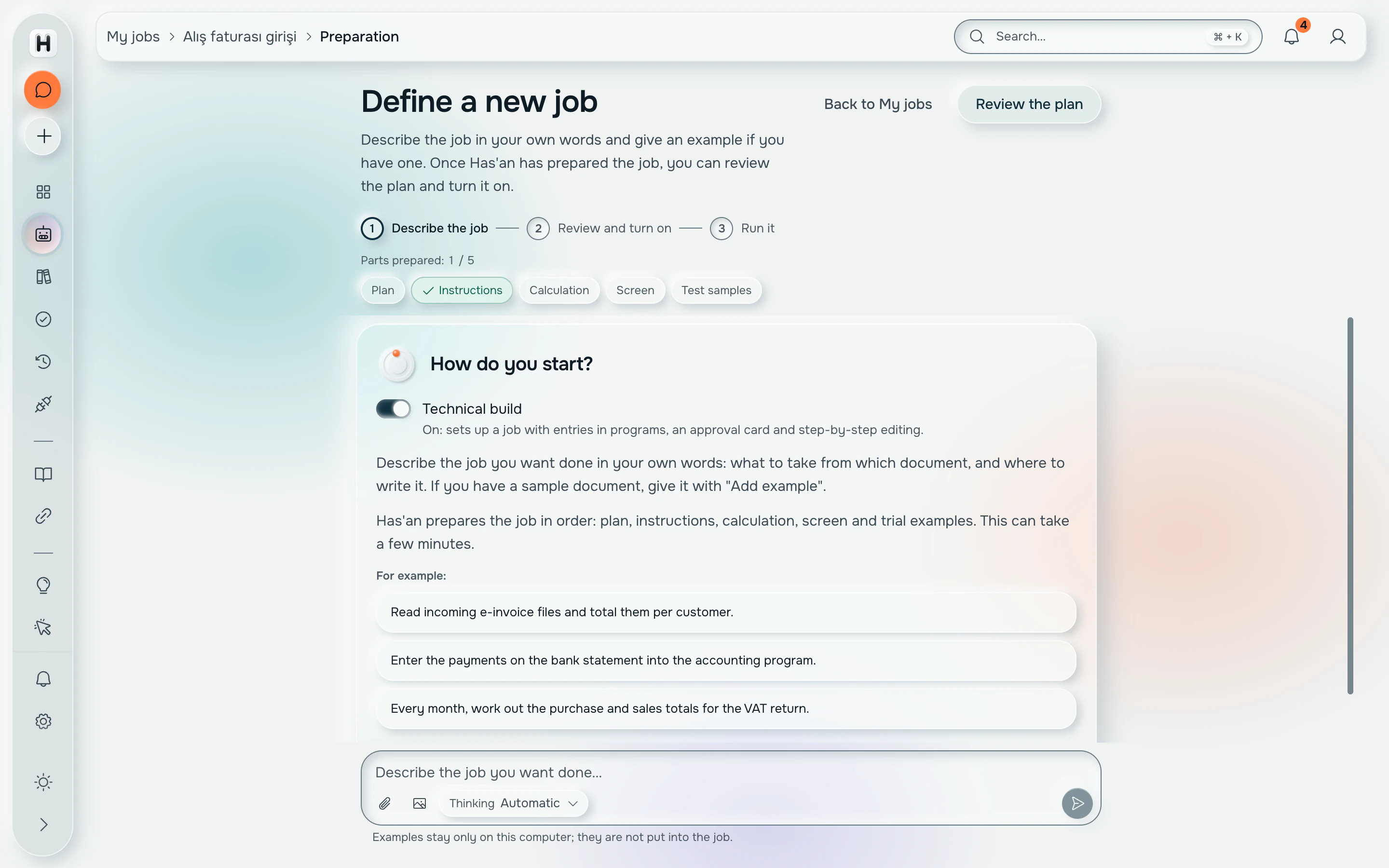
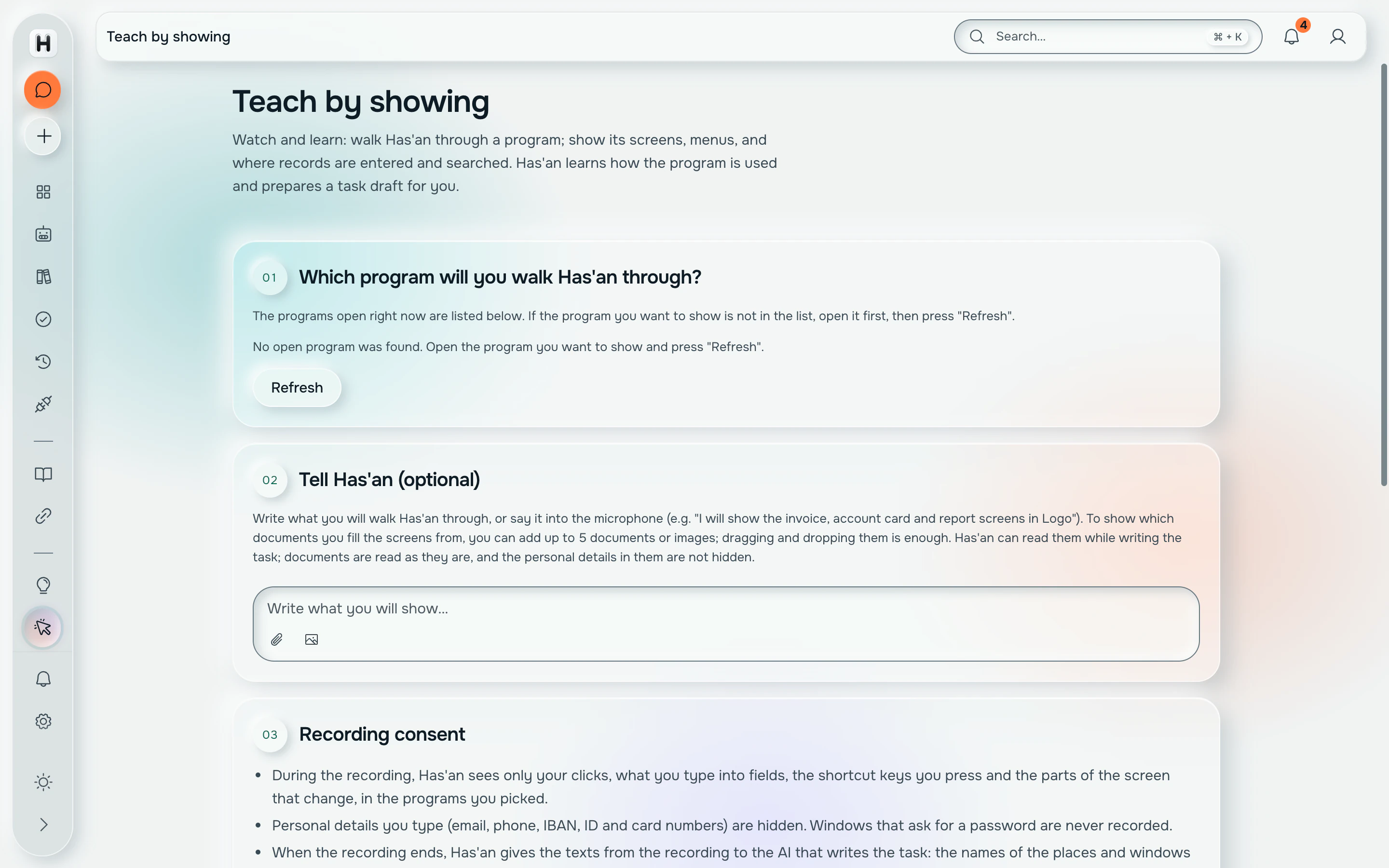
Facts
- Automated tests
- 7,100+
- Merge gate
- 30 steps, all green before main
- Perception order
- Accessibility, then local OCR, then a 4B local vision model
- Screenshots leaving the PC
- Only with a separate consent
- Updates
- Signed, from our server; installs when idle, never on exit
Shipped
What went live, with the date. Newest first.
Shared job library on the company server: share, admin review, add to your own jobs. Web edition flows (18) joined the merge gate.
Confirm-words list: 'print', 'send' and your own words stop the screen tool and ask. Sealed on disk; a hand-edited list disables the tool.
Connected accounts: the platform makes the API call, the model never sees the token. User MCP servers available in chat and in the builder.
Signed auto-update from the company server, verified end to end: 360 MB upload in 1.5 min, download and signature check in 16 s. Installs when idle, never on exit.
First outside users on the live server: chat, vision and transcription metered per person with a monthly cap.
Windows installer with the cloud-consent question, local Whisper by default, and the first end-to-end tests of the desktop app.
Bring us a job that runs on a screen.
We are looking for accounting offices to pilot Has'an on their real e-invoice, bank statement and ERP work, on their own Windows computers.
Ankara, Türkiye